Speeche - Speech to Text2.0.1
Publisher Description


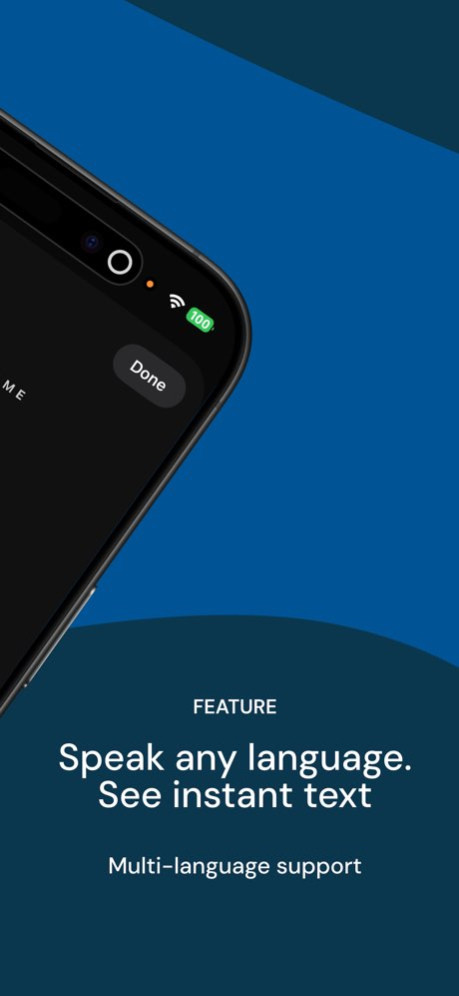

Focus on the conversation, not on taking notes.
Speeche turns speech and audio files into text, so you can find what matters faster.
Meetings, lectures, interviews, quick voice notes.
Keep spoken ideas as searchable text notes.
■ Speech to text
Record and see the transcript as you speak.
Choose a transcription language and edit the text after recording.
■ Audio file transcription
Import audio files and turn them into text.
Read meeting recordings, lectures, and interviews before replaying the full audio.
Automatically separate speakers in recordings and imported audio, so meeting and interview transcripts are easier to read.
■ Find records faster
Search titles and transcript text.
Organize notes in folders and browse records by date in Calendar.
■ Mark important moments
Add bookmarks and highlights to sections you want to revisit.
Play audio while reading the transcript.
■ Summary and sharing
On supported devices, create summaries with Apple Intelligence.
Copy text or share it with other apps.
Useful for:
- Meeting notes
- Lectures and classes
- Interviews and consultations
- Voice memos as text notes
- Finding key points in long audio files
Record, transcribe, and organize.
Speeche turns spoken records into text you can use again.
■ PREMIUM subscription
Payment will be charged to your Apple ID at confirmation of purchase. The subscription renews automatically unless canceled at least 24 hours before the end of the current period. Renewal is charged within 24 hours before the end of the current period. You can manage or cancel your subscription in your App Store account settings.
Subscription options:
Monthly subscription - 7-day free trial, then renews monthly. Unlock all features / remove ads.
Yearly subscription - 7-day free trial, then renews yearly. Unlock all features / remove ads.
Privacy Policy: https://newkline.com/apps/avrx/privacy_en.html
Terms of Use (EULA): https://newkline.com/apps/avrx/terms.html
Version History Speeche has been rebuilt from the ground up.
- Refined the flow from recording to speech-to-text.
- Improved audio file import and transcription.
- Enhanced folders, search, and calendar organization.
- Improved editing, copying, and sharing transcripts.
- Added support for Apple Intelligence summaries on supported devices.
- Updated the overall design and stability for the new structure. 2.0.1 May 21 Speeche has been rebuilt from the ground up.
- Refined the flow from recording to speech-to-text.
- Improved audio file import and transcription.
- Enhanced folders, search, and calendar organization.
- Improved editing, copying, and sharing transcripts.
- Added support for Apple Intelligence summaries on supported devices.
- Updated the overall design and stability for the new structure. 2.0.0 May 21 Bug fixes and performance improvement 1.3.1 02/18/2025 Bug fixes and performance improvement 1.3.0 07/16/2024 Bug fixes and performance improvement 1.2.2 07/10/2024 Bug fixes and performance improvement 1.2.1 07/08/2024 Bug fixes and performance improvement 1.2.0 07/08/2024 Bug fixes and performance improvement 1.1.0 08/28/2020 1.0.0 08/12/2020
About Speeche - Speech to Text
The company that develops Speeche - Speech to Text is Newkline Co., Ltd.. The latest version released by its developer is 2.0.1.
To install Speeche - Speech to Text on your iOS device, just click the green Continue To App button above to start the installation process. The app is listed on our website since 2026-10-13 and was downloaded 3 times. We have already checked if the download link is safe, however for your own protection we recommend that you scan the downloaded app with your antivirus. Your antivirus may detect the Speeche - Speech to Text as malware if the download link is broken.
How to install Speeche - Speech to Text on your iOS device:
- Click on the Continue To App button on our website. This will redirect you to the App Store.
- Once the Speeche - Speech to Text is shown in the iTunes listing of your iOS device, you can start its download and installation. Tap on the GET button to the right of the app to start downloading it.
- If you are not logged-in the iOS appstore app, you'll be prompted for your your Apple ID and/or password.
- After Speeche - Speech to Text is downloaded, you'll see an INSTALL button to the right. Tap on it to start the actual installation of the iOS app.
- Once installation is finished you can tap on the OPEN button to start it. Its icon will also be added to your device home screen.
Program Details
System requirements
Download information
Pricing
Version History
version 2.0.1
posted on 2026-10-13
Version History Speeche has been rebuilt from the ground up.
- Refined the flow from recording to speech-to-text.
- Improved audio file import and transcription.
- Enhanced folders, search, and calendar organization.
- Improved editing, copying, and sharing transcripts.
- Added support for Apple Intelligence summaries on supported devices.
- Updated the overall design and stability for the new structure. 2.0.1 May 21 Speeche has been rebuilt from the ground up.
- Refined the flow from recording to speech-to-text.
- Improved audio file import and transcription.
- Enhanced folders, search, and calendar organization.
- Improved editing, copying, and sharing transcripts.
- Added support for Apple Intelligence summaries on supported devices.
- Updated the overall design and stability for the new structure. 2.0.0 May 21 Bug fixes and performance improvement 1.3.1 02/18/2025 Bug fixes and performance improvement 1.3.0 07/16/2024 Bug fixes and performance improvement 1.2.2 07/10/2024 Bug fixes and performance improvement 1.2.1 07/08/2024 Bug fixes and performance improvement 1.2.0 07/08/2024 Bug fixes and performance improvement 1.1.0 08/28/2020 1.0.0 08/12/2020
version 1.3.1
posted on 2025-02-18
Feb 18, 2025
Version 1.3.1
Bug fixes and performance improvement
version 1.3.1
posted on 2025-02-18
Bug fixes and performance improvement
version 1.3.0
posted on 2024-07-16
Jul 16, 2024
Version 1.3.0
Bug fixes and performance improvement
version 1.1.0
posted on 2020-08-28
Aug 28, 2020
Version 1.1.0
Bug fixes and performance improvement
